
Cleaner - Clean Phone & VPN
TarrySoftTools
4.614.23K Reviews
- Version
- 2.6.26.2
- Installs
- 10.00M
- Age Rating
- Everyone
Screenshots
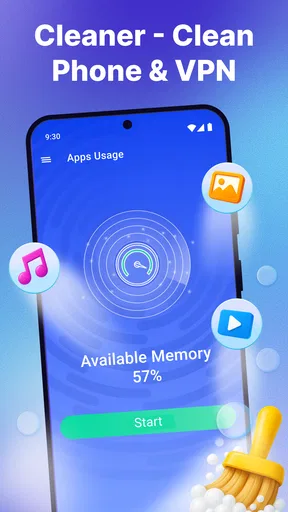
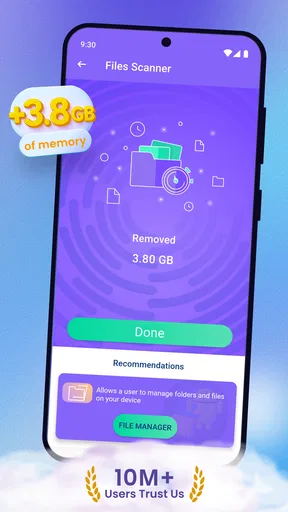
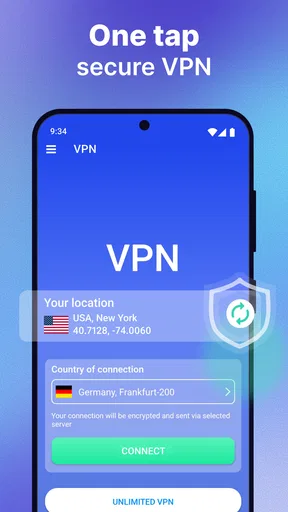
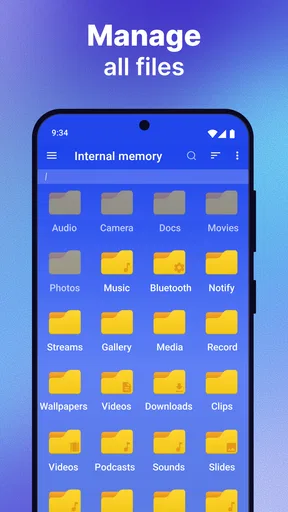
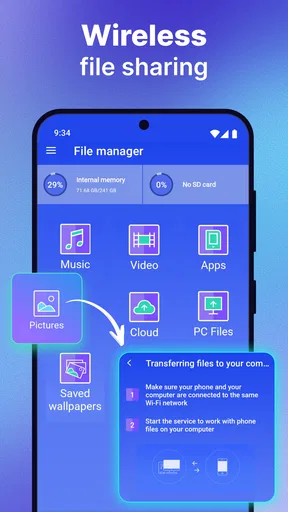
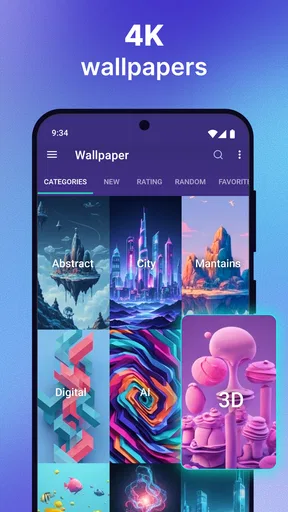
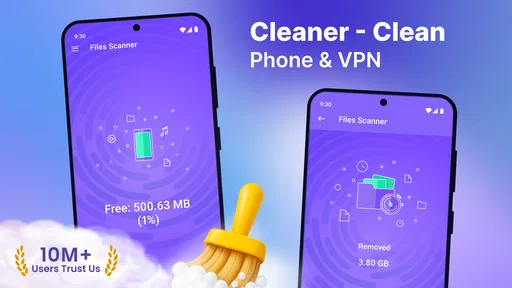
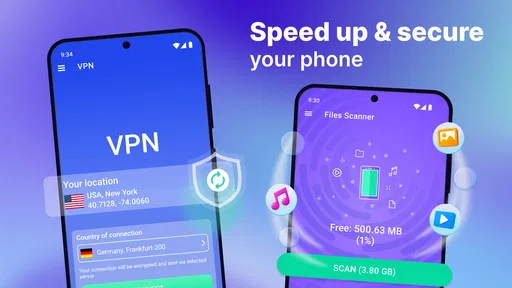
Our Review of Cleaner - Clean Phone & VPN
 Analysis by Appyee
When I open a phone-cleaning app for the first time, I want a clear answer to one question: what can I safely do right now to make the phone easier to manage? Cleaner - Clean Phone & VPN brings several tools together, so the useful first step is to treat it as a toolbox rather than press every button in sequence. I’d start with the storage-cleaning option, review what it identifies, and only then decide whether the other tools fit my needs.
What to expect from an all-in-one cleaner
Cleaner - Clean Phone & VPN is a free tools app from TarrySoft, with optional in-app purchases priced from $0.99 to $99.99 per item. It has a 4.6 average from around 410,000 ratings and more than 10 million installs, which suggests many people are looking for this kind of convenient bundle. It is rated for Everyone, and version 2.6.24 runs on Android 5.0 or later.
The main appeal is having cleaning, app management, battery-related tools and a VPN in one place. That can suit someone who wants a straightforward starting point without installing a separate app for every task. The trade-off is that these tools do different jobs: removing unnecessary files is not the same as freeing working memory, and neither task is the same as protecting online traffic with a VPN.
I’d think of the cleaner as a helper for reviewing a phone, not a magic switch that permanently makes every device faster. Android already manages many background processes, and performance can depend on the phone, its available storage and what is running. A scan can point you toward possible clutter, but taking a moment to check the result is more useful than clearing things automatically just because the app offers a button.
A sensible first run
After installing it, I’d take a minute to look over the dashboard and identify which tools are available before starting. If the immediate problem is low storage, begin with the junk-file scan. Read the categories or selections it presents and avoid clearing anything whose purpose you do not understand. This small pause is especially worthwhile if you keep downloads, saved media or work files on your phone.
My first meaningful success would be a scan that helps me find items I can confidently remove, followed by checking the phone’s own storage view to see whether the cleanup addressed the problem. If storage is still tight, the next step may be reviewing large personal files or uninstalling apps I no longer need rather than running the same cleaning action repeatedly. Cleaner can make that review more convenient, but it cannot decide which personal files matter to you.
That approach also answers a common concern: should a first-time user run every tool at once? I wouldn’t. Try one action, see what it changes, and then move on. It makes the result easier to understand and reduces the chance of treating a memory or battery feature as a substitute for solving the actual issue, such as a nearly full storage drive or an app you no longer use.
First Impressions and Interface
Alright, first things first, the interface of Cleaner - Clean Phone & VPN is sleek and intuitive. As soon as you open it, you're greeted with a clean dashboard that’s super user-friendly. No need to be a tech guru to navigate around, which is a big plus in my book. The main screen neatly lays out everything you need, from cleaning options to VPN features.
What I really appreciate is the minimalistic design. It doesn’t overwhelm you with too many choices right off the bat. The buttons are big and easy to tap, making it great for quick access. Plus, the color scheme is pretty easy on the eyes, which is always a bonus.
Cleaning Features
Now, onto the good stuff—how well does it actually clean your phone? The app offers a variety of cleaning tools. You’ve got your junk file cleaner, which works like a charm. It scans and identifies files that are just sitting around taking up space, and with a single tap, you can say goodbye to them.
There’s also a memory booster and a CPU cooler. I tested these out after a particularly heavy gaming session, and I did notice a difference. My phone seemed a tad more responsive and less sluggish. The memory booster clears up RAM, which is great for multitasking without the lag.
Getting more from cleanup
I would use the scan as a prompt to make a deliberate storage decision, not as a routine reflex. For example, if I’m trying to make room before downloading a large offline map or recording a long video, I’d inspect the suggested cleanup first, then review old downloads and apps I genuinely no longer use. That workflow is more dependable than expecting a cleaner to find every source of storage pressure.
There is also a practical distinction between freeing storage and clearing RAM. Storage cleanup can help when the phone is short on space; a memory booster is aimed at active working memory. If a game feels slow because the device is hot, the CPU-cooling tool may be worth trying, but I wouldn’t read a temporary change as proof that the phone has been repaired or that every demanding app will now run smoothly.
One useful habit is to make changes in small batches. If the app identifies several kinds of clutter, review them separately instead of tapping through without looking. That makes it easier to notice if an item you rely on is included and to understand what action actually helped. People with very little free space may need to move or delete personal photos, videos or downloads themselves; a cleanup utility should not be treated as a replacement for that choice.
VPN Capabilities
Alright, let’s talk about the VPN feature. In today’s digital age, safeguarding your online privacy is crucial, and this app doubles as a VPN service. Setting it up is straightforward—just a couple of taps and you’re connected. The app offers several server locations, which is handy for accessing region-locked content or simply adding an extra layer of security.
In terms of performance, the VPN is solid. I streamed a couple of videos and browsed without any noticeable slowdowns. It’s not the fastest VPN out there, but for an app that’s primarily a cleaner, it does the job pretty well.
When the VPN is the right tool
I’d consider the VPN for ordinary browsing when I want a more private connection, especially while travelling or using a network I don’t fully trust. After connecting, I’d check that the connection is active before opening the apps or sites I care about. A VPN can route traffic through a selected server, but it does not make every online activity anonymous or replace careful choices about accounts, downloads and personal information.
Server choice is a trade-off rather than a simple “nearest is always best” rule. A location that helps with a particular regional service may not be the one I’d choose for everyday browsing, and VPN use can affect speed or access in ways that vary by service. If a video or site behaves differently after connecting, I’d test another available location or disconnect to compare, rather than assuming the phone or app is broken.
For someone who needs detailed controls, a specialist VPN may be a better fit than a feature included alongside phone-cleaning tools. I’d compare the available settings and the provider’s privacy information before relying on any VPN for sensitive work. Cleaner’s appeal is convenience; users who need a specific security configuration should choose a service designed around that requirement.
Additional Features
Besides the main cleaning and VPN functionalities, there are some extra goodies packed in. The app includes a battery saver, which optimizes your settings to extend battery life. I found this particularly useful during travel when plugging in isn’t always an option.
There’s also an app manager that helps you identify apps you haven’t used in a while. I was surprised to find a couple of apps I had forgotten about, and uninstalling them was a breeze using this feature.
Making the extras useful
The app manager makes most sense as a periodic audit, not something I’d run whenever I want the phone to feel faster. Before removing an app, I’d check whether it holds downloaded content, saved settings or data I may want later. If I’m unsure, I can leave it installed and revisit it when I have time. The goal is to remove genuine dead weight, not to turn an occasional cleanup into a rushed spring-cleaning session.
I’d also treat battery saving as a situational option. On a travel day, it may be useful to review the offered optimization when I know charging will be difficult. At home, if the battery is draining unusually quickly, I’d first consider whether a particular app or usage pattern is responsible instead of expecting a general battery tool to explain the cause. Convenience is valuable, but a tool that adjusts settings is not the same as diagnosing a worn battery or a malfunctioning app.
Compared with installing separate utilities, the bundle is simpler to browse and keeps the common tasks in one interface. The downside of any bundle is that each individual feature may not offer the depth of a dedicated storage analyzer, battery diagnostic or VPN client. If you only want to remove unneeded files, your phone’s built-in storage controls may be enough; if you specifically need advanced VPN options, a dedicated VPN is the more natural comparison.
Who will get the most out of it
I can see this being useful for a first-time Android user who wants a gentle route into phone maintenance, or for someone who prefers one dashboard to several separate utilities. It is also a reasonable fit for people who periodically forget which apps they installed and want a visible reminder to review them. The best results come from using the tools with a clear purpose: free space, check the app list, or connect through a VPN when there is a reason to do so.
It is less suitable for someone expecting a cleaner to cure persistent lag, fix every battery problem or guarantee privacy across all online activity. People who already understand their phone’s storage controls may find a separate cleaner unnecessary, while security-focused users may prefer a specialist VPN with controls and information tailored to their needs. I would skip it if I wanted a single-purpose tool and would never use the other parts of the bundle.
A realistic use case is preparing for a weekend trip. Before leaving, I might review the junk-file suggestions and remove only what I recognize, uninstall one old app after checking it has nothing I need, and use the battery feature when I expect limited access to a charger. If I connect through the VPN on a public network, I’d verify the connection before browsing. Each step solves a different small problem; none requires pretending the app can manage the whole phone for me.
Overall Experience
So, what’s the final verdict? Cleaner - Clean Phone & VPN is a solid choice if you’re looking for an all-in-one app to keep your phone in tip-top shape. The combination of cleaning tools and VPN makes it versatile, and its ease of use is a big plus.
The app performs well without hogging resources, and the additional features like battery saving and app management are nice touches. It’s not without its minor hiccups, but those are easily overshadowed by its practicality and effectiveness.
If you’re curious to try it out, you can find it on both Android and iOS platforms. Give it a go, and let me know how it works for you. Happy cleaning!
Verdict
Strengths of Cleaner - Clean Phone & VPN
- Easy-to-use interface for quick cleaning
- Effective junk file removal boosts speed
- Includes a reliable VPN for privacy
- Customizable cleaning schedules
- Supports multiple languages
Limitations of Cleaner - Clean Phone & VPN
- VPN can be slow at peak times
- Free version has limited features
- Occasional ads in free version
- Requires in-app purchases for full access
- Some features need internet connection
Other Releases by TarrySoft
View All
Pixel 4D™ Live Wallpapers
Personalization4.7

Wallpapers HD - Backgrounds 4K
Personalization4.8

Photo Collage Maker & Editor
Photography4.7

Video Compressor & Converter
Video Players & Editors4.5
Similar Picks in This Category
View All
Google LLC4.0

Gboard - the Google Keyboard
Google LLC4.5

Google Play services
Google LLC4.3

Google Play Store
Google LLC4.9

Files by Google
Google LLC4.5

SHAREit: Transfer, Share Files
Smart Media4U Technology Pte.Ltd.4.3
Frequently Asked Questions
What features does Cleaner - Clean Phone & VPN offer?
Cleaner - Clean Phone & VPN provides a comprehensive suite of tools designed to optimize your phone's performance. It includes junk file cleaning, memory boosting, and battery management features. Additionally, it offers a built-in VPN service, enhancing your online privacy and security by encrypting your internet connection. These features help keep your device running smoothly and securely.
Is Cleaner - Clean Phone & VPN safe to use?
Yes, Cleaner - Clean Phone & VPN is designed with user safety in mind. It adheres to strict privacy policies to ensure that your personal data is protected. The app's VPN feature encrypts your internet traffic, adding an extra layer of security. Always ensure you download the app from reputable sources like the Google Play Store or Apple App Store.
Does the app slow down device performance?
Cleaner - Clean Phone & VPN is designed to optimize and enhance device performance, not hinder it. By removing junk files and managing resources efficiently, it helps improve speed and battery life. However, running multiple apps simultaneously, including this one, may affect performance depending on your device's specifications.
Is there a cost associated with using Cleaner - Clean Phone & VPN?
Cleaner - Clean Phone & VPN is free to download, offering essential cleaning and VPN services at no cost. However, it may feature in-app purchases or subscriptions for advanced functionalities. These premium options often include enhanced VPN features, ad-free experience, and prioritized customer support. Always review the in-app purchase details before committing.
How does the VPN feature enhance security?
The VPN feature in Cleaner - Clean Phone & VPN encrypts your internet connection, making it more secure against hackers and cyber threats. It masks your IP address, allowing you to browse anonymously. This is particularly useful when using public Wi-Fi networks, where data interception risks are higher. The VPN can also help bypass geo-restrictions for content access.
